7 questions / 7 answers, all panels expanded and read in full; 1 intro paragraph and 1 footnote reviewed line by line
“Last updated”
not present anywhere in the page text
Mobile (390 px)
no horizontal overflow (scrollWidth 390) — but the language pill sits on top of the accessibility footnote
Headers
HSTS 1 year · X-Content-Type-Options: nosniff · X-Frame-Options: SAMEORIGIN · CSP: frame-ancestors 'self' only
Translation
Weglot, English / Español
Already in good shape
Fast: 42 ms to first byte, 468 ms to load, HTML under 46 KB.
HTTPS with HSTS, an HTTP→HTTPS path, sensible referrer policy, no indexing surprises.
One h1, a real FAQ, and a previous-year link — a reader can find last year's profile.
The PDF is tagged (not a scan) and the mobile layout does not break horizontally.
Both Drive files are public and downloadable without a Google account — checked by downloading both.
1 · Where the document lives
S1high
The profile is not on the district's own server
2026-2027 MHS SCHOOL PROFILE → drive.google.com/file/d/1ohoUybpyF8S7…/view?usp=sharing
Host the PDF on the district site (Finalsite file asset), keep Drive as a backup, and link the local file.
Why it matters: the page's only piece of content is a pointer to somebody's Drive. If that file's sharing flips to “restricted”, or the account is suspended, or a Workspace policy changes, the page keeps returning 200 while every college, parent and counsellor gets an access request instead of a profile — with no monitoring to notice. It also means the district has no origin-side control: no cache headers, no access logs of its own, no rollback, and the URL is the file's identity (replacing the file keeps the URL, so two different documents can be live at the same address on different days). During this review the Drive preview itself failed twice — “Unable to load thumbnail”, “Signature pending” — while the file downloaded fine, which is exactly the half-broken state nobody reports.
S2high
Nothing on the page says when it was updated
“The school profile is reviewed and updated each year…” — but no date appears anywhere on the page
“2026–2027 profile · updated October 14, 2026” next to the link.
Why it matters: the page promises an annual revision and gives no way to check it. The file's own metadata says it was created 2026-10-14, so the fact exists — it just isn't on the page. A counsellor in September cannot tell whether the link is this year's or last year's without opening a PDF on a third-party site.
Pick one form — “2026–2027 School Profile” — and use it for the heading, the link and the filename; en dash, not hyphen.
Why it matters: “MHS” is never expanded on the page (the school is written out in full everywhere else), the year is hyphenated three ways across the page and the file, and the filename drops the century while the label drops nothing. None of it is fatal; all of it costs a reader a second look, and a downloaded file is much harder to find later when it is called “26-27”.
S4medium
The link says nothing about what it opens
2026-2027 MHS SCHOOL PROFILE
“2026–2027 School Profile — PDF, 2 pages, 367 KB (opens Google Drive)”
Why it matters: measured sizes are 367 KB and 395 KB for the two years. A reader on a phone, on a school network that blocks Drive, or with assistive tech gets no warning that the next click leaves the site and lands in a Google viewer. Saying the format and size is the cheapest accessibility fix on this page.
2 · Grammar on the page
S5high
“Is the School Profile requires for college applications?”
Is the School Profile requires for college applications?
Is the School Profile required for college applications?
Why it matters: it is the second most prominent sentence on the page, and it appears twice — once as the accordion button, once as the question label inside the panel — so fixing one copy is not enough. Same class of error as the PDF it points to; this one is on the open web.
S6medium
“available as a PDF format”
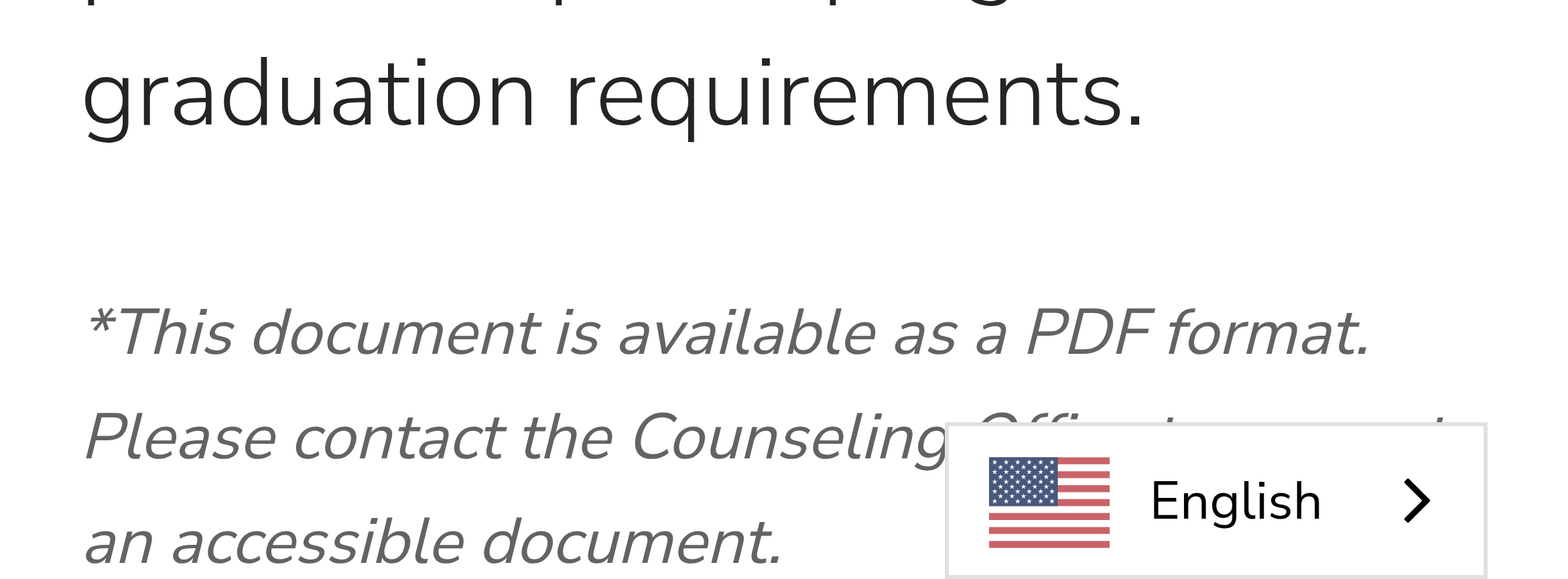
*This document is available as a PDF format. Please contact the Counseling Office to request an accessible document.
This document is available in PDF format. Please contact the Counseling Office to request an accessible version.
Why it matters: “as a PDF format” mixes two constructions (“as a PDF” / “in PDF format”). The asterisk has no matching footnote anywhere on the page and sits at the start of the sentence instead of after the note it marks.
3 · Accessibility
S7medium
Eight headings before the page title — including two logos
Make the logo marks plain images/links with empty alt where decorative; keep one h1 first in the outline.
Why it matters: a screen-reader user navigating by heading hears “Logo Image, heading level 2” before the page title, and the document's outline no longer reflects its structure. 15 h2s for a page with roughly five real sections.
S8low
13 anchors with no href
219 anchors on the page · 13 without an href attribute
Use button for the accordion toggles, or give the empty anchors a real target.
Why it matters: an anchor with no target is announced as a link and does nothing when activated; it also floods a “links on this page” list with entries that go nowhere.
S9medium
The accessible route is “ask the office”
“Please contact the Counseling Office to request an accessible document.”
Publish the profile as HTML as well as PDF, and keep the tagged PDF — then this sentence becomes an exception, not the only path.
Why it matters: a request-to-obtain process puts a delay in front of exactly the readers it is meant to serve, and it depends on office hours. The PDF is tagged (checked: Tagged: yes), so the note may be out of date — but a two-column layout tagged in the wrong order still reads badly, which is worth verifying once with a screen reader.
S10low
Translated page, untranslated document
Weglot switcher: English / Español — pointing at an English-only PDF
Say so in the note (“the profile itself is in English”), or publish a Spanish version of the PDF.
Why it matters: 44.9% of this school's students are Hispanic or Latino. A Spanish-speaking parent gets a translated FAQ and then a document they may not be able to read, with nothing on the page warning them.
4 · Platform and mobile
S11medium
The language pill covers the accessibility note on a phone
390 px viewport, 29 Oct 2026 — the “…Office to request…” words sit under the language switcher.
Move the widget (or give the content bottom padding) so the floating control never sits over body text.
Why it matters: the covered sentence is the one that tells a disabled reader where to ask for an accessible copy.
S12low
The CSP only stops framing
content-security-policy: frame-ancestors 'self';
Platform-level: add script-src/object-src/base-uri directives if Finalsite supports it.
Why it matters: with 14 scripts on the page, a third-party translation CDN among them, there is no policy limiting where script may come from. Nothing is exploitable here today — it is a hardening gap the school cannot close alone, which is why it is listed last.
S13low
Every number a reader wants is inside the PDF
859 students · 99% graduation rate · 16 AP classes · 550 AP tests — none of it on the page
A five-line summary block above the link, mirroring the profile's own headers.
Why it matters: the page exists to hand over one file; anyone who cannot open Drive (blocked network, old phone, screen reader, data saver) gets a paragraph about what a profile is and nothing else. Two sentences of real data would make the page useful on its own.
5 · The FAQ text
All seven panels expanded and read in full. The answers are present in the HTML but not in the visible
text until a panel is opened, so a reader skimming the page sees seven questions and no answers. The
pattern across them is consistent, which is why the fixes are too:
the questions capitalise “School Profile”, the answers don't, and two answers do not say what they
appear to say.
S14high
“It” points at the wrong noun
Colleges and universities use school profiles to better understand a student's academic experience. It provides background information so college admission officers can review applications…
Colleges and universities use school profiles to better understand a student's academic experience. School profiles provide background information so that admissions officers can review applications…
Why it matters: the nearest noun is “a student's academic experience” (singular), so “It” reads as
though the experience provides the background information, and the number disagrees with “school
profiles” anyway. This is the first answer a visitor opens, and it is the one that defines the
term for the rest of the page.
S15medium
One term, three spellings
Question: “Is the School Profile sent to every college…” · Answer: “Yes. When a student's transcript and counselor materials are sent, the school profile is included…” · First answer: “use school profiles”
Pick one form for the generic document — “school profile” — and use it in the questions too.
Why it matters: the register flips between every question and its answer, inside a single
panel. It reads as two authors, or as a template where the questions were written by hand and the
answers were not.
S16low
Serial comma: the page can't decide
“…student population details, courses offered, grading practices, special programs and graduation requirements.” vs “…applications, transcripts, and recommendation materials…”
“…special programs, and graduation requirements.”
Why it matters: the intro paragraph omits the serial comma and the first answer uses it. Same
inconsistency as item 10 of the PDF review — worth fixing in the page and the document in one pass.
S17medium
“the counselor materials” — which materials?
Many colleges expect a school profile as part of the counselor materials, especially colleges that use holistic application reviews.
Many colleges expect a school profile as part of the counselor's packet — the school report, transcript and recommendation — especially colleges that review applications holistically.
Why it matters: the definite article points at something the reader has not been told about yet.
Naming the packet costs six words and tells a parent what actually gets sent.
S18high
Two answers contradict each other on admission impact
Q: “Does the School Profile affect a student's chances of admission?” — A: “No. The school profile does not evaluate individual students.”
“It doesn't evaluate any individual student — but it does give colleges the context they need to read a transcript fairly, which is exactly why it's sent.”
Why it matters: the first answer on the page says officers use the profile to review transcripts
“within the context of our school”, which is how a profile affects a decision. Answering “No” because
the document does not grade anyone answers a different question than the one asked, and a parent who
reads both will notice. This is the one item here where the fix is substance, not grammar.
S19medium
“Updated each year” names no date
The school profile is reviewed and updated each year to ensure colleges receive accurate and current information for the graduating class applying that school year.
“Reviewed and republished each September, before early-action deadlines, for the class applying that year.”
Why it matters: “each year” is the only freshness claim on the page and it is unverifiable — there
is no date on the page to check it against (S2). It is also the only answer that does not begin with a
direct response; “Annually —” would fix that in two words. “For the graduating class applying that
school year” is also ambiguous: the class applying is not the class graduating.
S20low
“an accessible document” is a different document
Please contact the Counseling Office to request an accessible document.
Please contact the Counseling Office to request an accessible version of this profile.
Why it matters: as written it reads as though the accessible copy is a separate publication rather
than the same content in another format — which matters when the reader is asking for exactly that.
S21low
The FAQ never uses the name colleges use
Seven questions about “a school profile”; the term of art in the applications parents actually fill in is the School Report (Common App) / Secondary School Report.
One sentence: “Colleges ask for this as part of their School Report (or counselor recommendation).”
Why it matters: a parent searching the page for “school report” finds nothing, and the page never
connects its own document to the checkbox in the application. Cheap to add, and it answers the
question (“do I need to send this?”) more directly than the current answer does.
If only four things change
Host the PDF on the district domain (S1) — the page currently depends on a third party staying configured correctly.
Fix “requires” (S5) — two strings, and it is the most visible error on the page.
Date the revision and say what the link opens (S2, S4) — both are edits to one line of text.
Rewrite the two answers that don't say what they mean (S14, S18) — the pronoun that points at the wrong noun, and “No” to a question the page elsewhere answers “yes” to.